


Email marketing delivers remarkable returns, generating an average of $38 for every $1 invested. At the same time, nearly three out of four businesses now rely on a CRM system, making both email and CRM essential tools for growth.
The numbers are impressive, but they reveal only part of the story. Many teams struggle with disconnected systems that prevent them from using these tools to their full potential. Email remains one of the most powerful channels, outperforming Facebook and Twitter by 40 times when it comes to customer acquisition. Yet too often, valuable email data sits apart from customer records, limiting opportunities for personalization and efficiency.
Syncing email with CRM unlocks that potential. Automated win-back campaigns, for instance, can reach open rates of 42.5 percent and conversion rates above 10 percent. Proper integration not only drives stronger results but also saves hours of manual work for busy teams.
This article will walk you through the process of connecting your CRM and email. Along the way, you will discover how to avoid common pitfalls and build a system that fits seamlessly into your workflow.
What Does It Mean to Sync CRM and Email?

CRM-email sync essentially creates a unified hub for all customer communications by connecting your email platform with your customer relationship management system. Your data will automatically flow between both systems, which eliminates manual copying of information between platforms.
Understanding CRM and email marketing roles
CRM systems store contact details and interaction history to manage customer relationships. Email marketing nurtures these relationships through targeted messaging. A social-first approach to CRM email marketing makes communications more customized and helps them work better.
The results speak for themselves – email brings in $38 in revenue for every $1 spent and works 40 times better at getting customers than social media platforms.
How integration changes your workflow
Your teams can work differently now thanks to two-way sync that records all email interactions in your CRM automatically. Every email shows up in the customer’s activity timeline, whether sent from your email client or straight from the CRM. On top of that, this integration lets your team skip constant tab-switching between platforms and:
- Access complete conversation histories in one place
- Send emails directly from contact records
- Track when prospects open emails or click links
- Receive automated follow-up reminders
Your team members can see all customer communications, which creates a consistent customer experience.
Common tools that support email CRM sync
Many platforms give you strong email CRM integration features. Salesforce, HubSpot, Zoho CRM, and Pipedrive work continuously with popular email services. CRMs like Snapforce connect with all email providers, including Gmail, Office365, and dedicated IMAP/SMTP servers. Nutshell even lets you use email templates right from Gmail or Outlook to speed up your outreach.
For businesses that rely on Gmail and Salesforce together, Cirrus Insight integration is a powerful option. It bridges the two platforms seamlessly, enabling two-way sync, automatic logging, and efficient email tracking so teams can focus on building stronger customer relationships.
The best integration for you depends on your specific needs. Most users want a solution that offers two-way sync, automatic logging, and email tracking capabilities.
Why Syncing CRM and Email Matters
CRM and email integration creates a powerful partnership that changes how businesses connect with customers. The benefits go way beyond simple convenience. Your bottom line will see concrete advantages from this combination.
Better segmentation and targeting
A connection between these systems lets you create highly specific customer groups based on complete data points. Research shows CRM integration enables multi-dimensional segmentation beyond basic demographics. It incorporates purchase history, website visits, and unique interaction patterns.
You can create dynamic customer groups that automatically update based on changing behaviors. Your segments evolve naturally as customers interact with your business, which keeps them relevant over time.
Improved personalization and timing
Generic messages pale in comparison to personalized emails when it comes to engagement rates. The numbers tell the story – personalized emails see a 29% higher open rate and a 41% higher click-through rate. Automated win-back emails perform even better with a 42.5% open rate and a 10.34% conversion rate. CRM integration allows you to:
- Customize content based on previous purchases and browsing behavior
- Send emails when individual customers are most likely to read them
- Set up workflows that trigger communications at key decision points
The true value comes from understanding context – knowing exactly where each customer stands in their relationship with your business.
Unified customer data for all teams
McKinsey’s research shows employees spend about 20% of their time looking for information across disconnected systems. This equals 50,000 wasted hours monthly for a 500-person company. Teams make better decisions and respond faster when they share a unified customer view. Sales teams learn about customer health quickly. Marketers know when to avoid messaging customers at wrong times. Support teams see the complete customer relationship.
Steps to Sync Your CRM and Email

A smooth connection between your CRM and email platform depends on following a clear process. By approaching integration systematically, you can ensure your data flows accurately and your team benefits from the full potential of both tools.
Key steps include:
- Choose a CRM with email integration: Select a platform that meets your business needs and supports strong integration features such as two-way sync, email tracking, and automation. Popular choices include Salesforce, HubSpot, and Zoho CRM. Always consider whether the system can scale with your growth and connect well with your existing email marketing tools.
- Connect your email platform to the CRM: Once you have chosen your CRM, link it to your email service. Gmail, Office 365, and Outlook integrate smoothly with most systems. This usually involves authorizing your email credentials and granting access to contacts and messages.
- Map customer data fields: Properly mapping fields between the CRM and email system ensures accurate data exchange. Standard fields like name, email address, and phone number often map automatically, while custom fields may require manual setup.
- Set up email templates and sequences: Templates and automated sequences allow you to deliver personalized messages at the right time. Triggered communications such as welcome messages for new subscribers or follow-ups for inactive leads help nurture stronger relationships.
- Test with sample campaigns: Before launching fully, run a small campaign internally to confirm everything works as intended. Check deliverability, synchronization of contact data, and the correct functioning of automation rules.
- Train your team on the new workflow: A successful integration depends on user adoption. Provide detailed documentation and hands-on training to ensure your team is comfortable with both basic and advanced functions. Ongoing training helps maximize the value of the system over time.
Optimizing Your Email CRM Strategy
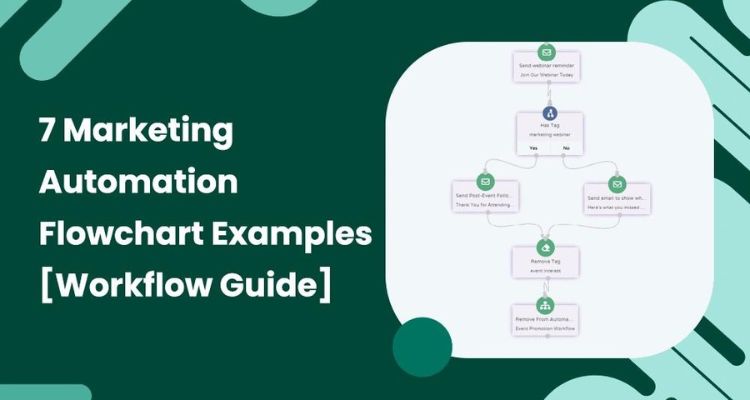
Once your systems are connected, the real impact comes from how you put them to work. An effective email CRM strategy ensures you gain the maximum value from your integration while building stronger customer relationships. The following practices will help you make the most of your setup:
- Use automation to save time: Automated workflows remove repetitive tasks and free your team to focus on strategy. Triggered email sequences based on customer behavior, such as welcome messages or re-engagement campaigns, are proven to drive results. Although they account for only 2 percent of total emails sent, automated emails generate 41 percent of orders.
- Track performance with CRM analytics: Integration provides insight beyond surface-level numbers. By monitoring open rates, click-through rates, conversions, unsubscribes, and revenue attribution, you can identify which campaigns create measurable business outcomes.
- Refine campaigns using engagement data: With CRM support, A/B testing becomes more precise. Testing subject lines, formats, and sending times allows you to adjust strategies based on customer behavior. This approach can increase click-through rates by as much as 760 percent.
- Maintain data hygiene for better results: Clean, accurate data is the foundation of effective campaigns. Since CRM data decays by about 34 percent each year, regular cleanup is essential. Removing inactive contacts, correcting errors, and standardizing formats improves deliverability and ensures your messages reach the right audience.
Conclusion
Syncing your CRM with your email platform is more than a technical upgrade. It is a strategic decision that strengthens customer relationships, reduces inefficiencies, and maximizes the return on every campaign. With the right tools in place, teams no longer waste hours switching between systems or dealing with incomplete data. Instead, they gain a clear, unified view of their customers that informs better decisions at every stage of the journey.
The benefits are clear. Personalized communication becomes easier, automation drives measurable results, and data accuracy ensures that your messages reach the right people at the right time.
Your next step is to put these strategies into practice. With a thoughtful approach to CRM and email integration, your team can transform everyday interactions into opportunities for long-term growth and stronger customer loyalty.


